WordPress needs regular updates, backups and security checks. Professional maintenance is not simply clicking “update all”. It includes testing, reliable restoration, monitoring and a clear response process when a business-critical feature fails.
What should WordPress maintenance include?
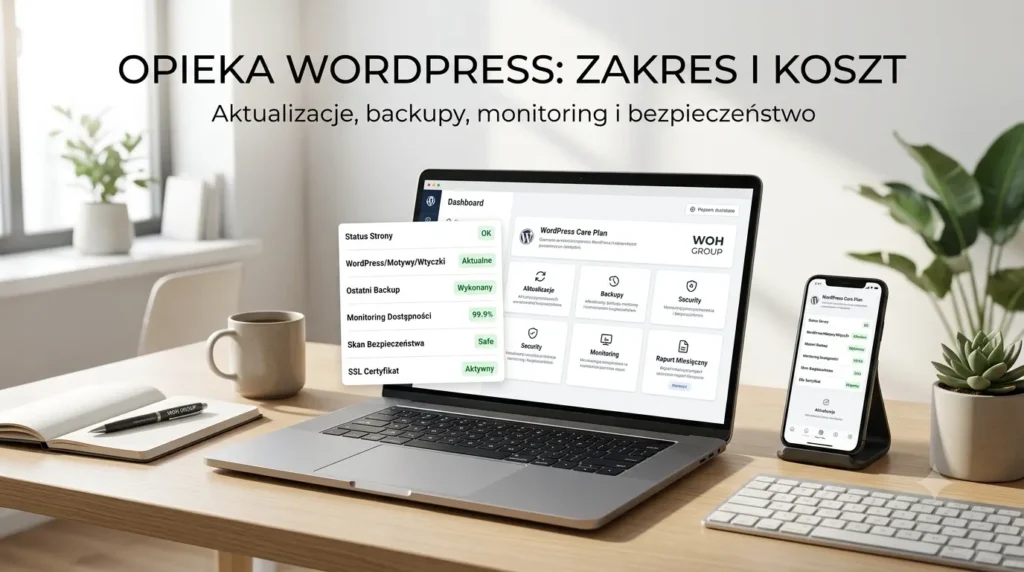
The baseline is controlled updates for core, themes and plugins, off-site backups and uptime monitoring. Updates should follow a backup and include checks of key pages, forms and user journeys.
More comprehensive plans add security scanning, performance review, small fixes, content support and reporting. WooCommerce maintenance should also test basket, checkout, payment gateways, transactional email and delivery integrations.
- WordPress core, theme and plugin updates
- off-site backups and restoration process
- uptime and error monitoring
- login protection, SSL and security scanning
- form, checkout and email checks
- clear reporting and support channel
Typical UK support models and costs
A retainer provides predictable cover and response. A block of development hours works for irregular improvements. One-off emergency support can solve an incident but does not detect problems proactively.
| Model | Indicative monthly cost | Best suited to |
|---|---|---|
| Essential monitoring | £50–£100 | Small brochure site with infrequent changes |
| Managed business website | £100–£250 | Lead-generating site with regular updates |
| Enhanced maintenance | £250–£500 | WooCommerce, integrations or frequent content work |
| Development retainer | tailored quote | New features, continuous improvements and priority response |
A backup is only useful if it restores
A backup stored only on the same server can disappear with the hosting account. Maintain several recovery points off site and occasionally verify that restoration works. The plan should define who restores the website and how quickly.
Use a staging environment for significant updates, especially with WooCommerce, WPML or custom integrations. This allows conflicts to be found without interrupting the public website.
Response times and responsibility
Check whether the agreement defines support hours, first-response targets and incident severity. “24/7 support” means little without a clear process and responsible team. A typo and a failed checkout need different priorities.
Confirm whether the fee includes malware recovery, fixes after updates and small content changes. Some monitoring plans only notify the owner and charge separately for all remediation.
When is a maintenance plan worthwhile?
Ongoing maintenance is valuable when the website generates leads, processes revenue or connects to business systems. The cost of a short outage can exceed the monthly plan.
A small site changed once a year still needs backups and security, but a lighter plan may be sufficient. Match service level to business risk rather than buying features you will not use.
Before appointing a provider, confirm that your business retains ownership of the domain, hosting account and licences. Access should be documented so another specialist can take over without disruption. A useful maintenance record also explains previous updates, incidents and technical decisions.
Want reliable WordPress support?
WOH GROUP provides WordPress maintenance for UK businesses, covering updates, backups, monitoring, security, fixes and ongoing development.